UE5 Tools & Automation
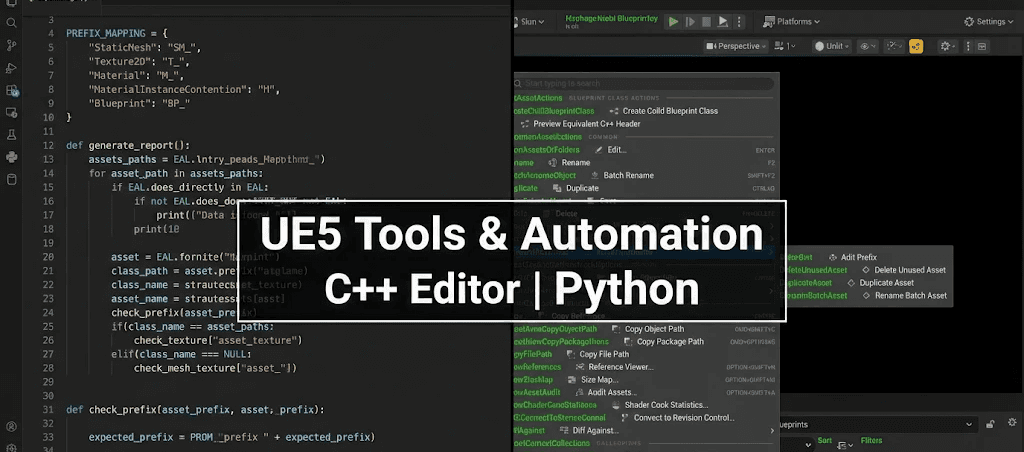
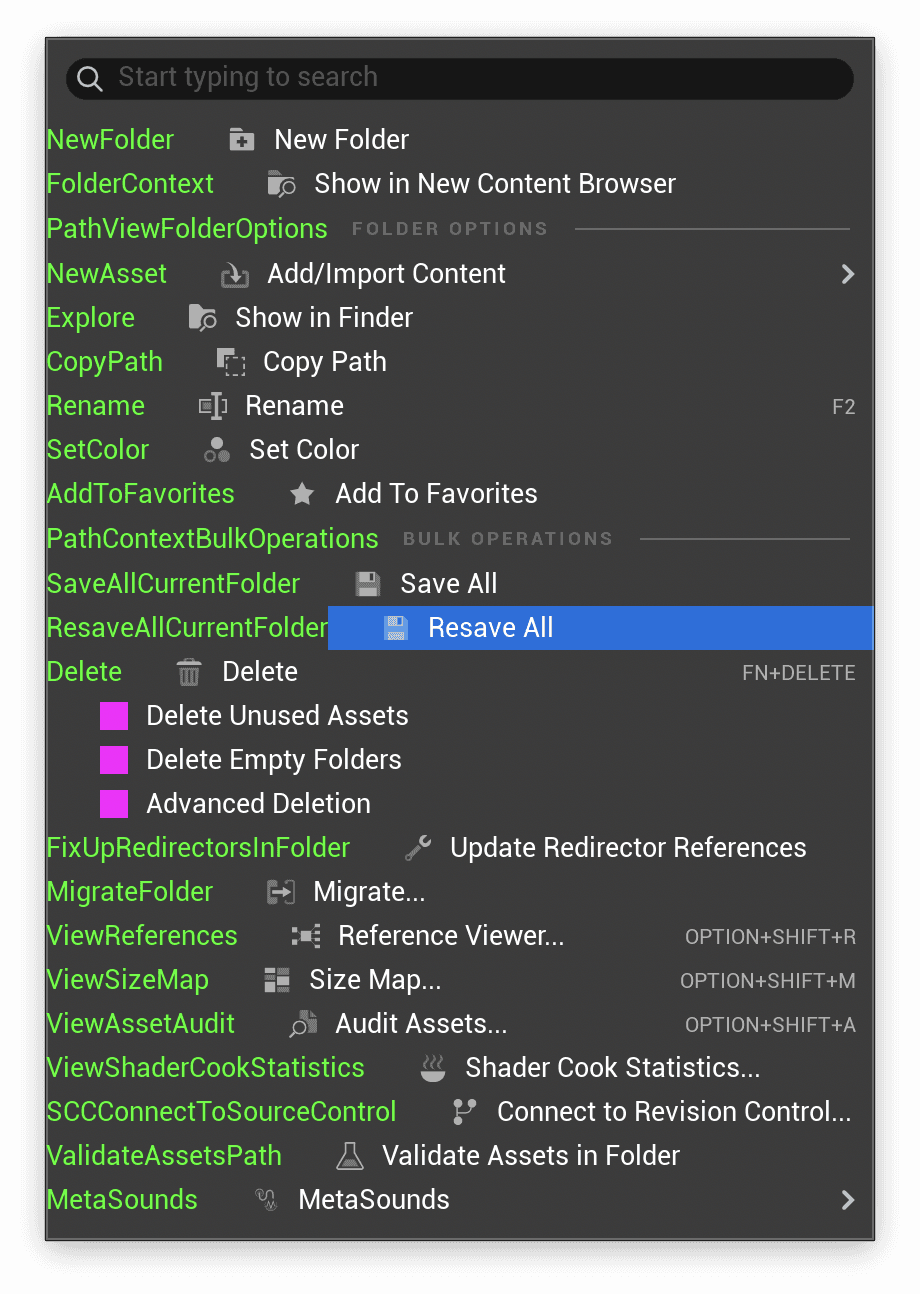
A hybrid automation ecosystem for UE5. Features a C++ Editor Plugin that extends context menus with custom actions (Batch Rename, Advanced Deletion) and a Python Auditor for enforcing asset naming conventions.
Year:
2025-2026
Timeframe:
1 Month
Tools:
C++, Python, Unreal Engine 5, Slate UI
Overview
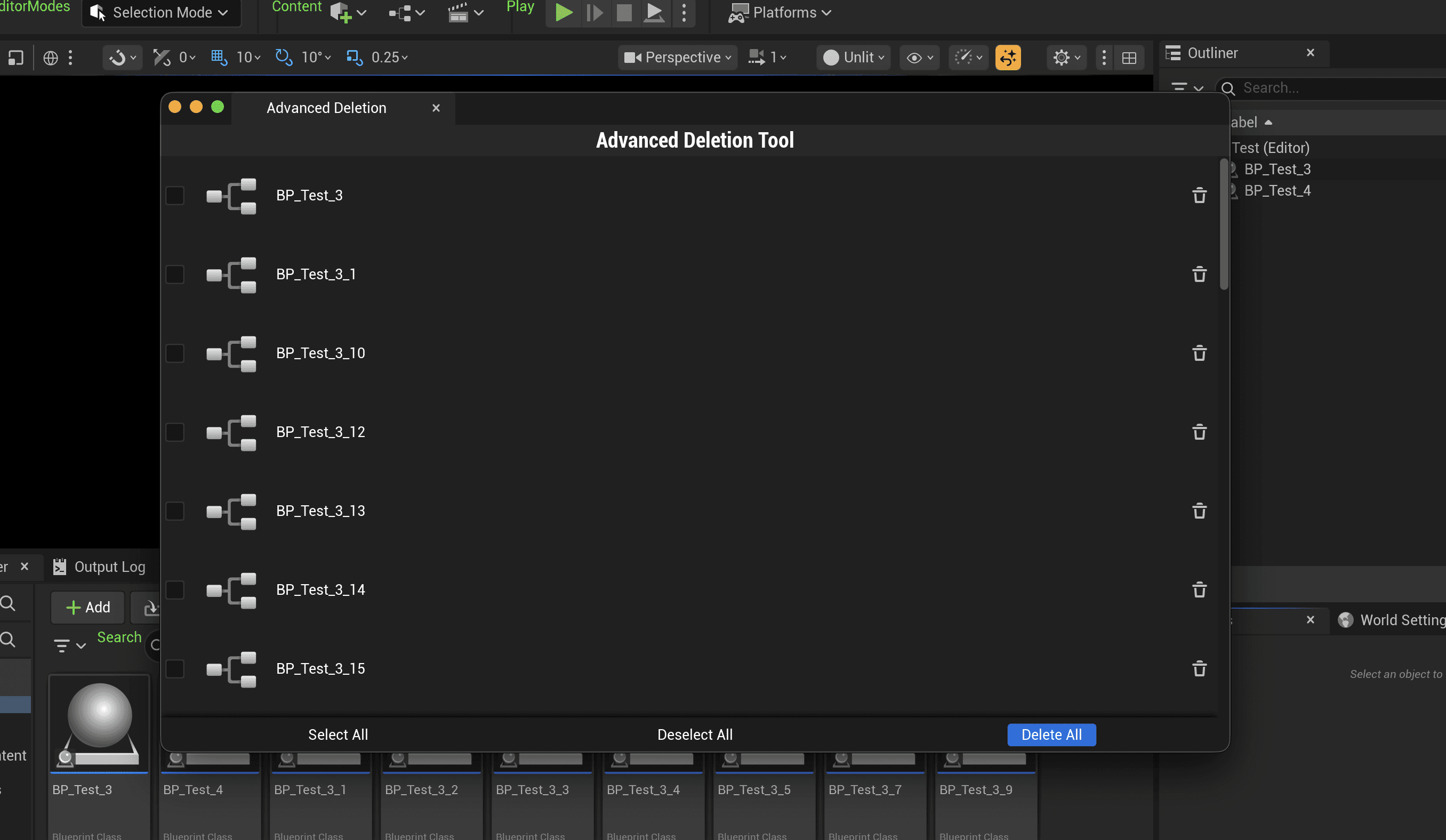
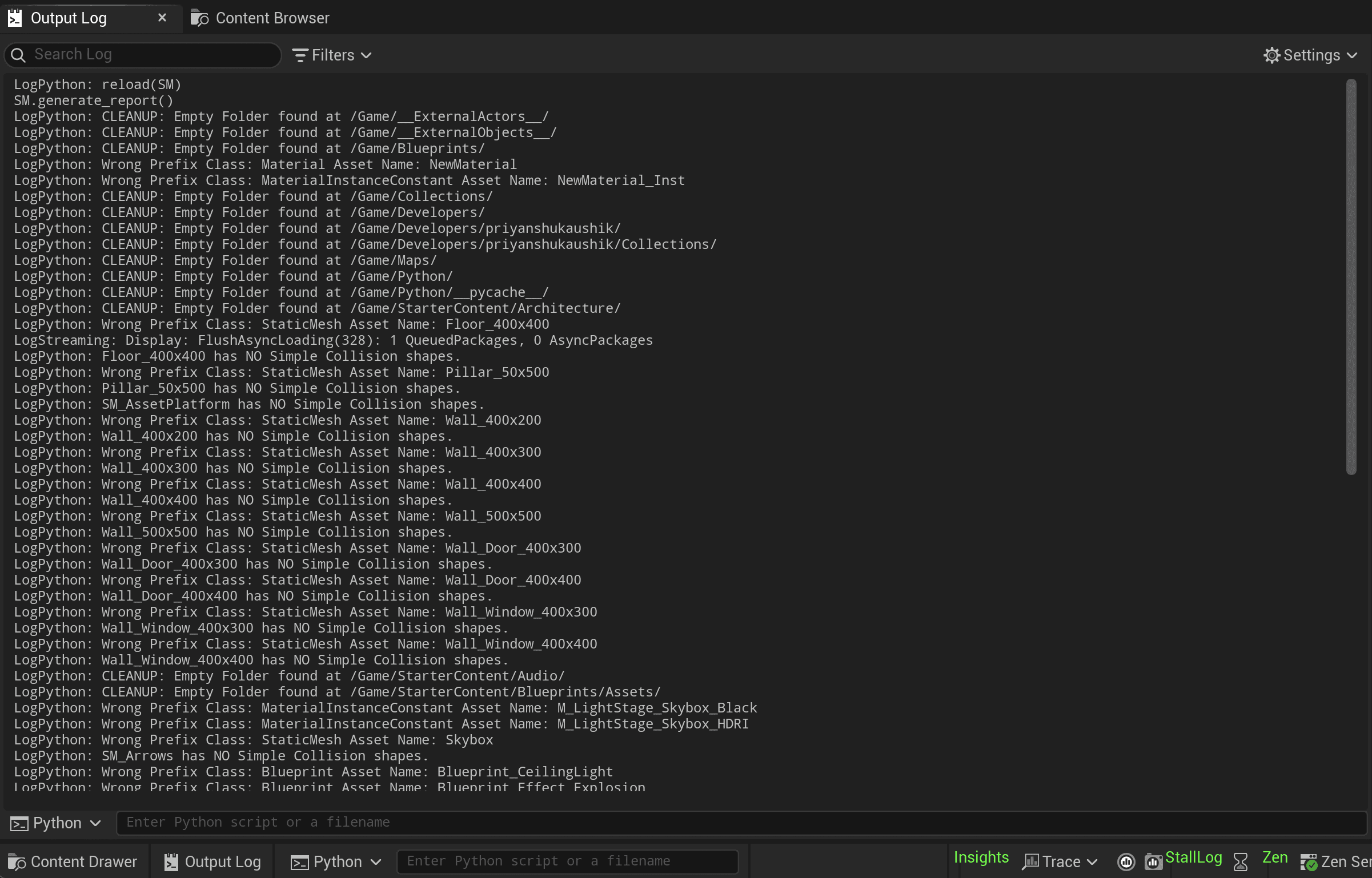
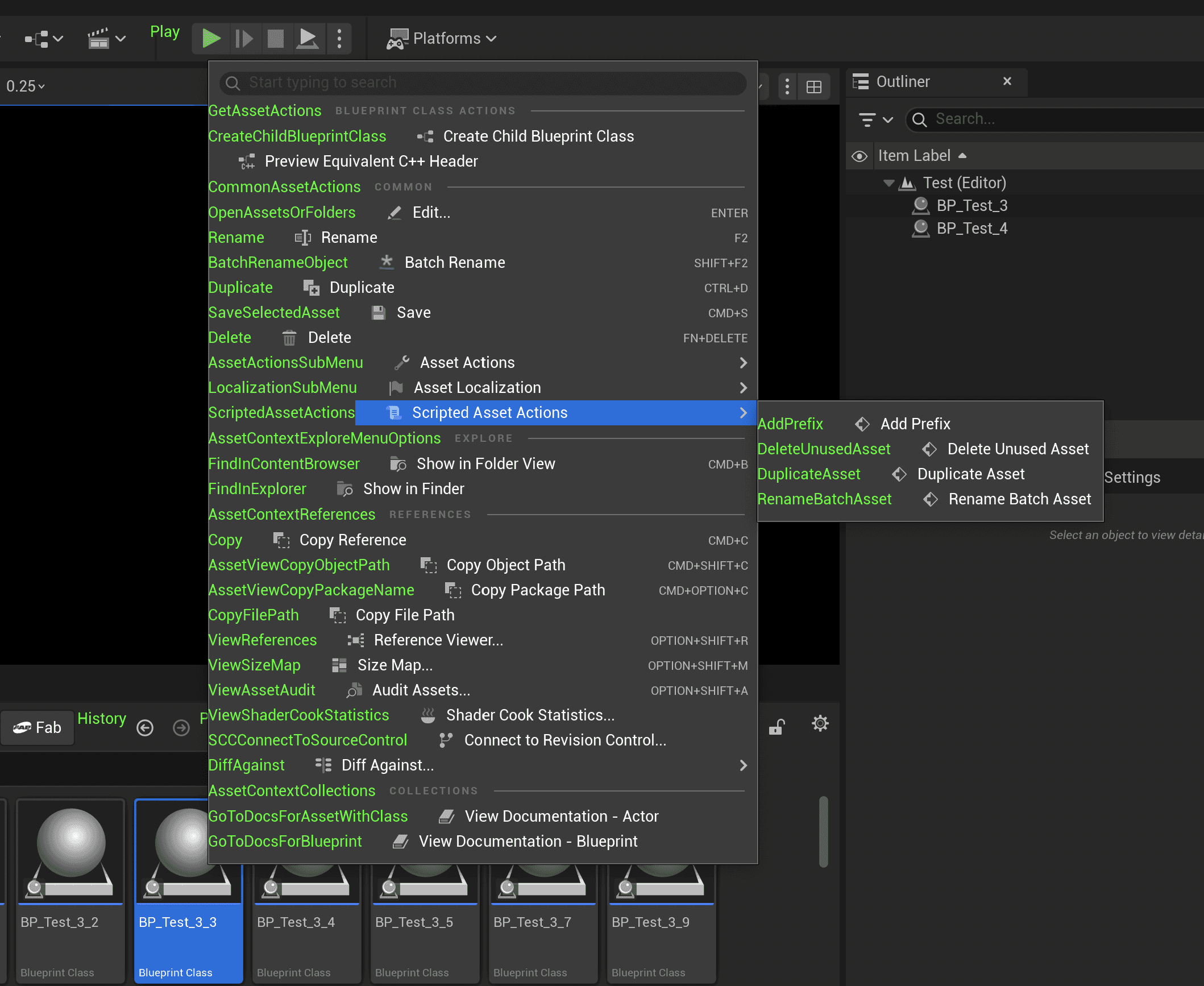
This project bridges the gap between C++ Engine Features and Technical Art workflows. I built a custom Editor Plugin that extends the Unreal Engine 5 interface with native tools, while utilizing Python for rapid asset validation. 1: Editor Context Menus (C++) - I extended the ContentBrowserContextMenu to place tools exactly where designers need them. Scripted Asset Actions: Added custom right-click options like "Duplicate Asset", "Batch Rename" and "Remove Unused Assets" directly to the content browser. 2: Custom Slate UI (WIP) Advanced Deletion Tool: Currently developing a custom window using Slate (Unreal’s immediate-mode UI framework). This tool allows users to view a list of assets marked for deletion and selectively remove them, preventing accidental data loss. 3: Python Asset Auditor - Integrated a Python-based validation script (SuperManager) that acts as a "Quality Control" pass. - Automated Reporting: Scans the project directory and prints a color-coded report to the Output Log (as seen in the gallery). - Validation Rules: Automatically flags empty folders, textures with non-Power-of-Two dimensions (which break mip-maps), and assets violating the T_ or SM_ naming conventions.